Reference Guide
Introduction
CipherMail for Android is an S/MIME app for Android. It works as the S/MIME companion app for Thunderbird for Android — adding digital signatures and encryption to the email you send and receive in Thunderbird — and can also be used on its own to read encrypted and opaque-signed S/MIME messages.
CipherMail for Android does not provide functionality to retrieve email. An existing Android email application with attachment support, for example Gmail or K9, should be used to retrieve the encrypted attached smime.p7m message.
In order to get you going quickly, the software will create a self-signed certificate during the installation process and some of the default settings are setup to make it easier for end users to start encrypting email. Self-signed means that the certificate is not validated by a Certificate Authority. We advise you to install a proper certificate after installation of CipherMail for Android.
Note
While CipherMail for Android tries to be intuitive, some prior knowledge of S/MIME is advised before using CipherMail for Android.
Features
Ciphermail for Android has the following features:
Encryption and digital signing with S/MIME 3.1 (X.509, RFC 3280).
Companion app for Thunderbird for Android.
Reads encrypted and opaque-signed messages on its own.
Compatible with existing S/MIME clients (like Outlook, Lotus Notes, Thunderbird etc.)
Message body and attachments are encrypted.
HTML email support.
Certificates are automatically extracted from incoming email.
Certificate revocation lists (CRLs) are automatically downloaded (LDAP and HTTP).
Certificate trust lists (CTLs) can be used to black or white-list certificates.
External LDAP servers can be queried for new certificates.
Can generate self-signed certificates for a private-PKI.
Ciphermail for Android can be installed from the Android Play Store (www.ciphermail.com). On first use, a configuration wizard will be started which will guide you through the required configuration steps.
When starting CipherMail for Android for the first time, a setup wizard will be started.
The wizard can be re-run from the settings page by selecting Setup wizard from the application menu.
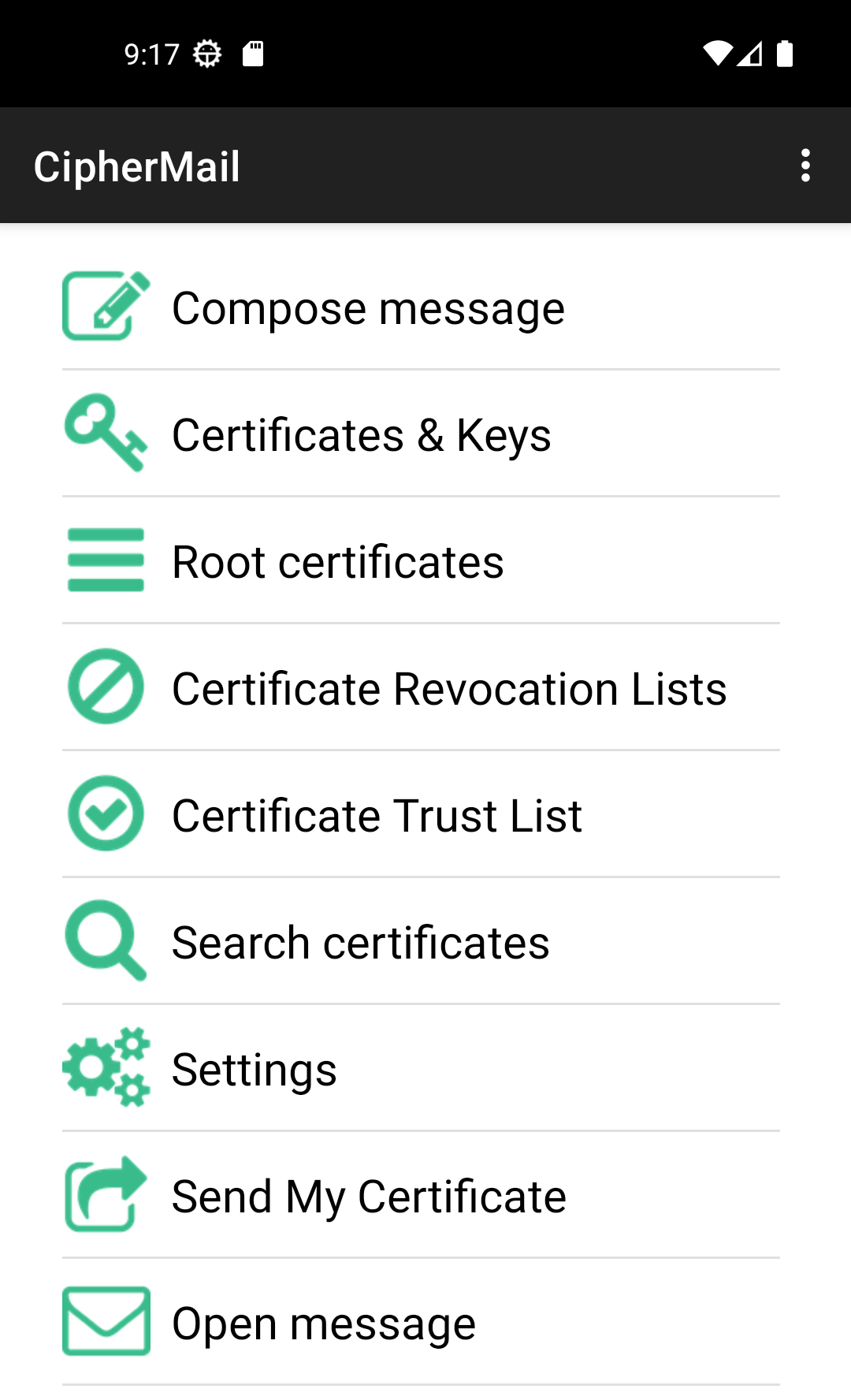
Main screen
The CipherMail main screen contains the following items:
Certificates & Keys
Root certificates
Certificate Revocation Lists
Certificate Trust lists
Search certificates
Settings
Open message